 admin
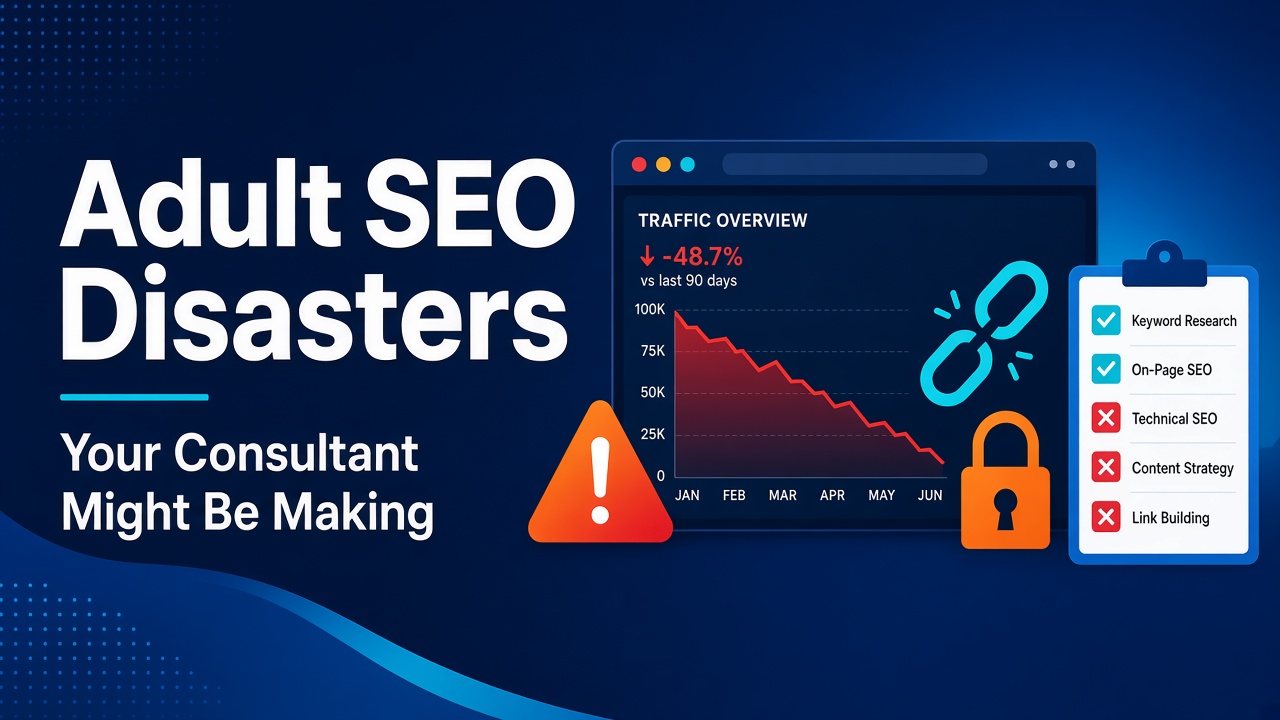
Most SEO consultants are honest and competent. But adult sites are an unforgiving place to learn. Classification filters, age gates, payment pressure, a history of aggressive link tactics and a crowd of vendors selling shortcuts mean that a few common mistakes can cost a site most of its visibility, sometimes without anyone noticing for months.
This article is a checklist, not an accusation. It describes the mistakes we think do the most damage on adult sites, with Google’s own documentation behind each one, and shows how a business owner can spot them without being a technical expert. It covers access and classification errors, migration and indexing errors, link and content shortcuts, bad promises and bad reporting. It closes with questions to ask, what good looks like, and when to hire adult SEO specialists. It is written for adult business owners, directory operators and platform marketers, and it avoids explicit detail.
One note on sources. We reviewed 21 pages, all Google documentation. Google is specific about what is allowed and what is not. We found no reliable data on how often consultants make any of these mistakes, so we make no claim about frequency, and we name no one.
How to use this list
You do not need to understand every term to use this checklist. Pick the five disasters that match your site most closely, ask your consultant the "how to spot it" question for each, and ask for the answer in writing, with a screenshot or report from Search Console where one exists. Honest consultants usually answer quickly. Vague answers, defensiveness or a change of subject are information too. If several answers are weak, get an independent review before you spend more.
Disaster 1: Blocking Google at the age gate
An age gate is often a legal or commercial requirement. The mistake is building it so that Google cannot reach the content behind it.
Google’s guidelines for sites with explicit content say to allow verified Googlebot requests to crawl without triggering the gate. If Google cannot fetch the content, the pages may rank poorly, and non-explicit content hidden behind the gate can lead to the whole site being classified as explicit.
How to spot it: ask your consultant to show you how Googlebot sees a page behind the gate, using the URL Inspection tool in Search Console, and how the gate treats verified crawlers. Google says to verify a crawler with a reverse and forward DNS check or its published IP ranges, so "we allow anything that says it is Googlebot" is also a red flag. The opposite error is equally serious: serving crawlers a different page from users is cloaking, which Google’s spam policies prohibit.
Disaster 2: No classification plan
Google’s explicit-content guidance says that if a site mixes explicit and non-explicit pages, Google may classify the whole site as explicit and filter it when SafeSearch is on. It recommends grouping explicit pages on a separate domain or subdomain, and says an adult rating tag or the RTA label can mark explicit pages. Both rating methods are optional.
How to spot it: ask which pages are explicit, where they live, and how the site’s structure keeps them apart. A consultant who has never asked about classification is working with half the picture.
Disaster 3: Using robots.txt to remove pages from Google
This one is a classic. Google says robots.txt manages crawler traffic. It is not a mechanism for keeping a page out of Google. To do that, use a noindex directive or password protection. Pages blocked in robots.txt can still be listed by URL if other sites link to them, without a description.
There is a second trap. Google’s robots meta tag guidance says indexing and serving rules can only be read if crawlers are allowed to access the page. If robots.txt blocks a URL, its noindex is never seen. Consultants who "add noindex and block it in robots.txt" for safety may achieve the opposite.
How to spot it: ask how each removal was done, and check that pages meant to be out of search are crawlable with noindex, not blocked.
Disaster 4: A careless site move or redesign
Moving to a new domain, platform or URL structure is where traffic is most often lost. Google’s guidance for site moves is clear:
- Redirect page by page. Map each old URL to its new equivalent with permanent server-side redirects, pointing directly at the final destination.
- Do not redirect everything to the home page. Google says blanket redirects can confuse users and may be treated as soft 404s.
- Keep redirects for at least a year.
- Update sitemaps, canonicals and internal links, and use the Change of Address tool for domain moves.
- Monitor the move in Search Console, server logs and analytics, and expect rankings to fluctuate for weeks or longer.
How to spot it: ask for the redirect map before launch, and for the monitoring plan after. If the answer is "we will redirect everything to the home page," do not proceed.
Disaster 5: Link shortcuts
Adult SEO has a reputation for bought and traded links, and some consultants still sell them. Google’s spam policies define link spam as buying, selling or exchanging links mainly to influence rankings, including unqualified paid links. Its guidance says paid placements should carry rel="sponsored" or nofollow.
The consequences can be a manual action or lowered rankings. Google’s manual action guidance for unnatural links is to get manipulative links removed, disavow those that cannot be removed and document the effort.
How to spot it: ask where links will come from, how many are paid and how paid ones will be labelled. A consultant who is vague about sources, or who will not name the sites, is telling you something.
Disaster 6: Disavowing by reflex
The opposite mistake is also costly. Google calls its disavow tool an advanced feature and says most sites do not need it. It is appropriate only where many spammy or low-quality links have caused, or will likely cause, a manual action, and Google recommends removing links at the source first. Misuse can hurt performance in Search.
How to spot it: if traffic dropped and the first move is a huge disavow file with no manual action in the report, ask why.
Disaster 7: Mass-produced pages
Location pages for every city, tag pages for every phrase, thousands of near-identical listings: this is the shortcut with the longest history. Google’s spam policies name scaled content abuse (mass-producing low-value pages mainly to manipulate rankings, however they are made) and doorway abuse (pages that target similar queries and funnel visitors to a less useful destination). Thin affiliate pages that copy merchant descriptions are also named.
How to spot it: ask how many pages will be created, who will write them, and what makes each one useful to a visitor. "We use AI to generate hundreds of pages" is not a plan Google’s policies support.
Disaster 8: Hosting other people’s content on your name
Site reputation abuse, in Google’s definition, is hosting third-party content on an established site mainly to benefit from that site’s ranking signals. A consultant who proposes selling or renting sections of your site to unrelated businesses, or buying an expired domain to repurpose, is working in a risky area. Google’s policies name both site reputation abuse and expired domain abuse (repurposing a lapsed domain mainly to host low-value content that manipulates rankings).
How to spot it: any plan that involves content from unrelated third parties on your domain, or a "powerful old domain", needs a written explanation of how it complies with the policies.
Disaster 9: Letting duplicates and parameters run wild
Directories and tube sites generate duplicate URLs quickly: sort orders, filters, tracking parameters, and the same listing under several categories. Google’s guidance says to consolidate them with 301 redirects, rel="canonical" links (a strong signal), sitemaps and consistent internal links, and to block filter and sort variations with noindex or robots.txt. A consultant who ignores this leaves Google to choose the preferred version for every page.
How to spot it: ask how many indexed URLs the site has compared with the number of pages you actually want indexed, and how the gap is being closed.
Disaster 10: Treating mobile and speed as someone else’s job
Google predominantly uses the mobile version of a site for indexing and ranking, and expects the same primary content, structured data, metadata and media on mobile and desktop. A thinner mobile template, or links that appear only on desktop, can remove content from what Google evaluates. Google’s Core Web Vitals thresholds, measured at the 75th percentile of real visits, are LCP of 2.5 seconds or less, INP of 200 milliseconds or less and CLS of 0.1 or less. They are not a magic ranking switch, but slow, jumpy pages lose visitors.
How to spot it: ask for mobile and desktop versions of the same page compared side by side, and for field data by device from Search Console.
Disaster 11: Stale tactics
Some mistakes are not dangerous, only dated, and they show a consultant is not keeping up.
- Meta keywords. Google says it does not use the meta keywords tag, and it has no effect on indexing or ranking.
- Keyword stuffing. Google’s policies define it as overloading pages with unnatural lists or repeated keywords. Titles stuffed with repeated phrases are rewritten or ignored.
- `rel=next` and `rel=prev`. Google no longer uses them for pagination.
- FAQ schema for rich results. Google removed FAQ rich results and their documentation on 15 June 2026.
- "AI search optimisation" as a separate service. Google says there are no additional requirements to appear in AI Overviews or AI Mode, and no special markup or files are needed. Standard fundamentals apply.
How to spot it: ask what each recommended change is for and what Google’s documentation says about it.
Disaster 12: Fake or self-written reviews
Review markup is tempting for directories. Google’s guidelines say local businesses and organisations cannot earn stars from reviews they control, that reviews must reflect genuine experiences, and that fake or undisclosed incentivised reviews are not allowed. Structured data problems can trigger a manual action, which removes eligibility for rich results.
How to spot it: if the site will show ratings, ask who wrote them and how they are collected.
Disaster 13: Breaking video
On a tube or VOD site, the video is the product. Google says it indexes only one video per page, and recommends a dedicated watch page for each video, a valid thumbnail at a stable URL and a fetchable video file. It also says that if it cannot fetch your video files, it may demote or filter the pages.
How to spot it: ask how many watch pages have an indexed video, according to the Search Console video indexing report. If your consultant has not looked at that report, they are guessing.
Disaster 14: Panicking after an update
Core updates are broad changes made several times a year, and Google says they do not target specific sites. Its guidance for a drop is to confirm the rollout has finished, wait at least a week, compare the periods and, for large, sustained drops, assess the whole site for helpful, reliable content. It warns against quick fixes, and says deleting content is a last resort.
The disaster is the response: deleting half the site, rewriting every title, or rebuilding links in a panic. Recovery from an algorithmic drop, Google says, can take months.
How to spot it: ask for a diagnosis before any action, including whether it is a manual action, a technical fault, a security problem, a classification issue or an update.
Disaster 15: Promises Google says nobody can keep
Google’s guidance on hiring an SEO is plain: nobody can guarantee a position, and meeting every requirement does not guarantee that a page will be crawled, indexed or served. Treat guaranteed rankings, fixed deadlines for page one and "secret methods" as warnings.
How to spot it: if a proposal contains a guaranteed result, ask what the consultant will refund if it does not happen.
Disaster 16: Reporting that cannot be checked
A consultant who reports only on their own dashboards, or who keeps control of your accounts, leaves you unable to verify anything.
- Own your accounts. The domain, hosting, Search Console, analytics and any tools should be in your name.
- Use the right permission level. Search Console has owner, full user, restricted user and associate levels. Google’s page notes that only owners can add users, and that each role has different capabilities. Giving a contractor full ownership is rarely necessary. Google’s hiring guidance suggests read-only access to start.
- Ask for evidence. Search Console data, crawl reports and screenshots beat unexplained scores.
How to spot it: ask who owns each account today, and what happens to access when the contract ends.
Disaster 17: Ignoring consent and takedown records
For platforms and directories hosting user content, Google’s explicit-content guidelines state that sites with a significant volume of removals for child sexual abuse material or non-consensual explicit imagery can be demoted regardless of SafeSearch. An SEO consultant should not run your moderation, but they should ask about it, because a process failure here can undo any amount of optimisation. This is general information, not legal advice.
A quick red-flag table
|
Red flag |
What Google’s documentation says |
Better question |
|
"Guaranteed page one" |
No one can guarantee a position |
What will you do, and how will we measure it? |
|
"Block it in robots.txt to remove it" |
robots.txt is not for keeping pages out of Google |
How are you using noindex? |
|
"Redirect everything to the home page" |
Redirect page by page |
Where is the redirect map? |
|
"We buy links from partners" |
Link spam; paid links need labelling |
Which sites, and how are they labelled? |
|
"AI-generated pages at scale" |
Scaled content abuse |
Who reviews each page? |
|
"We hide the age gate from Google" |
Allow verified Googlebot through |
How do you verify crawlers? |
|
"Add FAQ schema for rich results" |
FAQ rich results removed June 2026 |
What does the current documentation say? |
|
"Give us full account ownership" |
Roles differ; start read-only |
Which level do you need, and why? |
What a good consultant does
- Diagnoses before acting, and shows the evidence.
- Starts with access and classification, not with keywords.
- Explains each recommendation in terms of Google’s documentation.
- Refuses to guarantee, and says what is uncertain.
- Works with your developers on templates, redirects and performance.
- Reports honestly, including when something did not work.
When to hire adult SEO specialists
Some of these problems are easy to fix once seen. Others, such as a damaged migration, a manual action or a classification problem, need people who have handled them. When you hire adult SEO specialists, or choose an adult SEO agency, ask for the diagnosis in writing first and check it against Google’s documentation. Good partners welcome that.
Questions to ask before you sign
- How will you check that Google can reach our content behind the age gate?
- How will you keep explicit and non-explicit content apart?
- Where will links come from, and how will paid ones be labelled?
- What is your plan for redirects if URLs change?
- How will you handle a ranking drop, and who decides what to change?
- Who owns the accounts, and what access do you need?
- Will you promise rankings? (A good answer is no.)
A 30-day audit of your current consultant
Week 1: access. List every account and who owns it. Check verified Googlebot access through the age gate, and robots.txt and noindex use.
Week 2: structure. Check classification, redirects and canonicals. Review the Search Console video and indexing reports.
Week 3: links and content. Ask for the link source list and labelling. Review any programmatic or AI-generated pages.
Week 4: reporting. Compare the consultant’s reports with Search Console data. Write down what you will keep, change or stop.
Frequently asked questions
How do I know if my consultant is doing something risky?
Ask the questions above. A competent consultant can explain each tactic and cite what Google says about it.
Can a bad consultant cause a penalty?
Yes. Tactics such as link spam, cloaking and scaled content can lead to manual actions or lowered rankings, according to Google’s spam policies.
Should I fire my consultant?
Not automatically. Run the audit first. Many problems are fixable, and some are just gaps in knowledge of the adult niche.
Should I give my consultant Search Console access?
Google’s guidance suggests read-only access to start. Keep ownership yourself.
Can anyone promise a recovery date?
No. Google says recovery can take weeks or months.
Next steps
Most SEO disasters are preventable, and most are visible if you know what to ask. Start with access and classification, check the redirects, ask where the links come from, and keep your accounts in your own name.
Escort Marketing Agency (EMA) is a B2B digital marketing agency that works with adult businesses on technical SEO, audits and recovery. Connect with us today.
*This article is general information and not legal advice. Check the rules for each market you serve.*
References
- Google Search Central, "Site moves with URL changes" (updated 20 August 2026): https://developers.google.com/search/docs/crawling-indexing/site-move-with-url-changes
- Google Search Central, "Introduction to robots.txt" (updated 10 December 2025): https://developers.google.com/search/docs/crawling-indexing/robots/intro
- Google Search Central, "Meta tags that Google understands" (updated 10 December 2025): https://developers.google.com/search/docs/crawling-indexing/special-tags
- Search Console Help, "Add, remove, or change owners and users" (undated): https://support.google.com/webmasters/answer/7687615
- Google Search Central, "Robots meta tag and X-Robots-Tag specifications" (updated 24 March 2026): https://developers.google.com/search/docs/crawling-indexing/robots-meta-tag
- Google Search Central, "Guidelines for sites with explicit content" (updated 17 September 2026): https://developers.google.com/search/docs/specialty/explicit/guidelines
- Google Search Central, "Verifying Googlebot and other Google crawlers" (updated 20 March 2026): https://developers.google.com/search/docs/crawling-indexing/verifying-googlebot
- Google Search Central, "Spam policies for Google web search" (updated 28 August 2026): https://developers.google.com/search/docs/essentials/spam-policies
- Search Console Help, "Manual Actions report": https://support.google.com/webmasters/answer/9044175
- Search Console Help, "Disavow links to your site": https://support.google.com/webmasters/answer/2648487
- Google Search Central, "Qualify your outbound links to Google" (updated 10 December 2025): https://developers.google.com/search/docs/crawling-indexing/qualify-outbound-links
- Google Search Central, "Core updates and your website" (updated 10 December 2025): https://developers.google.com/search/docs/appearance/core-updates
- Google Search Central, "How to specify a canonical URL" (updated 10 July 2026): https://developers.google.com/search/docs/crawling-indexing/consolidate-duplicate-urls
- Google Search Central, "Mobile-first indexing best practices" (updated 10 December 2025): https://developers.google.com/search/docs/crawling-indexing/mobile/mobile-sites-mobile-first-indexing
- Google Search Central, "Core Web Vitals" (updated 10 December 2025): https://developers.google.com/search/docs/appearance/core-web-vitals
- Google Search Central, "Video SEO best practices" (updated 18 December 2025): https://developers.google.com/search/docs/appearance/video
- Search Console Help, "Video indexing report" (undated): https://support.google.com/webmasters/answer/9495631
- Google Search Central, "AI features and your website" (updated 10 December 2025): https://developers.google.com/search/docs/appearance/ai-features
- Google Search Central, "FAQ structured data" (documentation removed 15 June 2026): https://developers.google.com/search/docs/appearance/structured-data/faqpage
- Google Search Central, "Review snippet structured data" (updated 8 September 2026): https://developers.google.com/search/docs/appearance/structured-data/review-snippet
- Google Search Central, "Do you need an SEO?" (updated 5 June 2026): https://developers.google.com/search/docs/beginner/do-i-need-seo