 admin
A website can look impressive and still make it difficult for search engines to understand what it offers. Important pages might sit behind broken links. Mobile visitors might receive incomplete content. A booking page might accidentally tell search engines not to index it. Several versions of the same service page might compete for attention because the site does not clearly identify the preferred URL.
Technical SEO addresses these problems.
For an adult business, the details can be especially important. A strip club in Zurich needs potential visitors to find accurate information about its location and opening hours. A directory needs search engines to discover useful category pages without getting lost in thousands of filter combinations. An adult retailer needs product pages that load reliably, communicate availability and remain accessible during seasonal changes.
The objective is to make the website understandable, accessible and dependable. Technical work supports the content and services that people came to find.
This guide explains the foundations, the checks that matter and how to prioritise improvements. It is written for adult business owners, directory operators, platform marketers and the people responsible for their websites.
The business scenarios are illustrative. They show how to apply the principles without presenting fictional rankings, traffic figures or client results as evidence.
1. What is technical SEO?
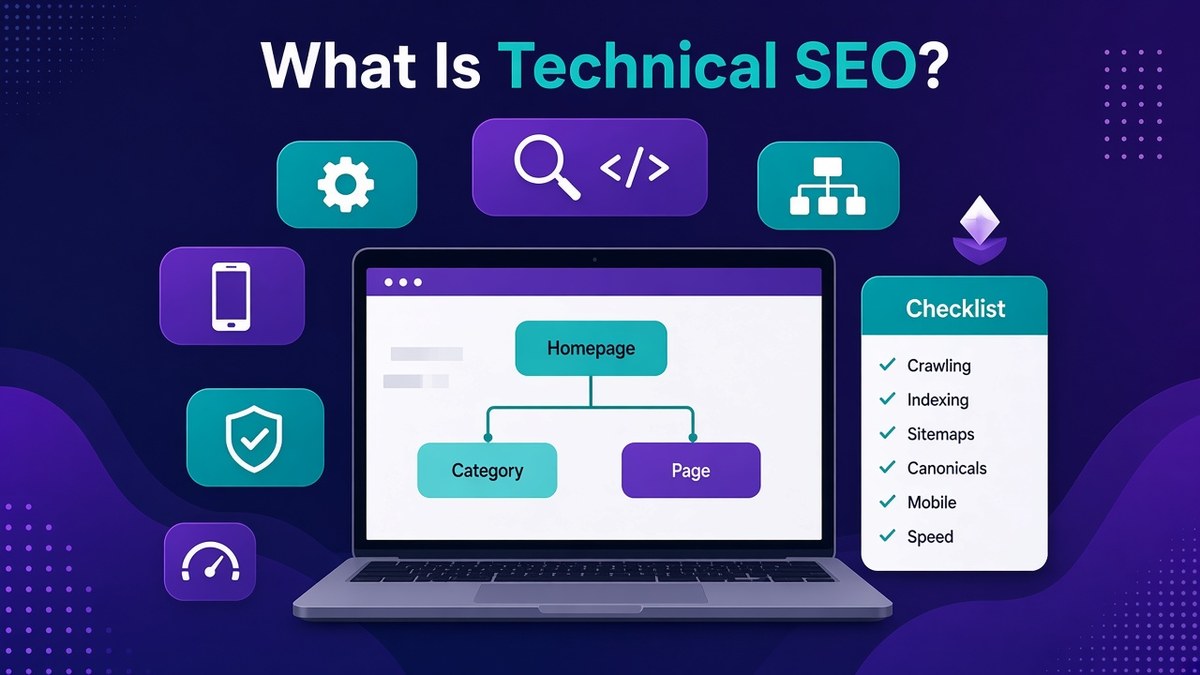
Technical SEO is the work involved in helping search engines discover, access, render and understand a website’s pages. It also includes maintaining the infrastructure that allows visitors to use those pages reliably.
The work can involve website architecture, internal links, response codes, redirects, XML sitemaps, canonical tags, mobile rendering, JavaScript, page performance and structured data.
Some changes happen in a content management system. Others require a developer, hosting provider or platform administrator. The important distinction is that technical SEO examines how the website operates, including the signals it sends through its code and server responses.
A simple example
Suppose a venue wants its main page to appear for “strip clubs in Zurich.”
The page contains a useful description, opening hours, directions and booking information. However, an old setting adds a noindex instruction to the page.
Improving the wording will not solve that particular problem. The technical issue needs investigation first. If the page is intended for search, the unwanted instruction must be removed and the published page checked.
Now imagine the same page exists at several addresses because of tracking parameters, inconsistent trailing slashes and different hostname versions. That creates a different task: establish the preferred URL and align the site’s links and other signals around it.
Both problems affect the same commercial page, but they require different fixes.
What technical SEO cannot promise
A technically sound website is not guaranteed to rank prominently. Search engines still need to evaluate relevance, content, competition and other signals.
Technical work also cannot turn an inaccurate business offer into a useful result. A page targeting Zurich needs a genuine reason to serve people searching there.
Think of technical SEO as the foundation that allows the rest of your website to function properly in search. It removes avoidable obstacles and creates a more reliable environment for content, navigation and conversion.
The strongest results come when technical decisions reflect the actual business. An online retailer, a local venue and a large directory need some of the same foundations, but their priorities will differ.
2. How search engines discover and process pages
Understanding the basic search process makes technical recommendations easier to assess.
A useful working model has four stages: discovery, crawling, indexing and serving results. Rendering may also be necessary to understand content that depends on JavaScript.
Discovery
A search engine first needs to learn that a URL exists. It may find the address through an internal link, an external link, a sitemap or another discovery mechanism.
A page with no useful links pointing to it can be difficult to discover and difficult for visitors to reach. Publishing a page does not automatically establish a good route to it.
Consider a new guide answering “what to wear to a strip club in Zurich.” If the guide is absent from the navigation, relevant venue pages and editorial archive, its existence may be poorly communicated.
Crawling and rendering
Crawling involves requesting a URL and receiving a response. The response might contain a page, a redirect, an error or an instruction limiting access.
Rendering is the process of processing the page as a browser would, including supported scripts. This matters when important content appears only after JavaScript runs.
A directory that sends an empty template and relies on several scripts to load its listings has more potential failure points than a page that delivers useful content immediately.
Indexing
Indexing involves analysing a page and deciding how it should be represented in a search system. A crawl does not guarantee indexing.
Duplicate content, access problems, indexing instructions and the overall usefulness of a page can influence what happens next.
For that reason, “Google visited this URL” and “this URL is indexed” are different statements.
Serving results
An indexed page may be considered for relevant searches. Whether it appears, where it appears and how it is presented depend on the search and the wider result environment.
A technically accessible page about a venue’s dress code does not necessarily satisfy a search for venue opening hours.
When diagnosing a problem, identify the stage involved. A discovery problem requires different evidence from an indexing problem. A page that is indexed but poorly matched to a query needs a different investigation again.
3. How technical SEO differs from content and authority work
SEO responsibilities overlap, but separating them helps you assign work correctly.
Content work focuses on what the page says and whether it answers the reader’s needs. Technical work focuses on whether that content can be reached, processed and used. Authority work concerns the wider signals that help establish a website’s credibility and relevance.
A useful page often needs all three.
Imagine a London massage studio publishes a page for “couples massage London.” The content explains the experience clearly, but the mobile version hides most of the description inside a component that fails to load.
That is a technical and user-experience problem.
If the page loads correctly but never explains whether couples are treated in the same room, the problem is missing information.
If both elements work well, the studio may still face established competitors with stronger recognition and broader evidence of relevance.
Assign the problem before assigning the task
A business owner should be able to ask:
- Is the page accessible and technically eligible for search?
- Does it answer the intended query?
- Does it provide accurate, useful information?
- Can visitors complete the next step?
- What evidence supports the website’s credibility?
These questions prevent a common waste of effort: treating every decline as a writing problem or every indexing problem as a server problem.
Work at the right level
Technical fixes frequently operate across templates.
If a directory’s category template produces incorrect canonical tags, hundreds of pages may be affected. Editing individual page descriptions will not address the shared cause.
Content improvements are often more specific. A category page might need a clearer explanation of its listings, filters and coverage even after the template is repaired.
A practical SEO plan therefore separates shared website defects from page-specific improvements. It also records dependencies. There is little value in commissioning dozens of new pages if a publishing setting prevents all of them from being indexed.
4. Establish what the website needs to achieve
Before opening a crawler or reviewing error reports, define the website’s purpose.
Technical audits become unfocused when every warning is treated as equally important. A clear business objective helps you distinguish a minor inconsistency from an issue that blocks valuable journeys.
For a local venue, the main actions might be viewing directions, checking opening hours and making a booking enquiry.
For a directory, they might include browsing relevant listings, using filters and submitting a business profile.
For an adult retailer, they might include viewing products, understanding delivery terms and completing an order.
Identify the pages that support those actions
Make a short list of the page types that matter most:
- Main service or location pages.
- Directory categories and individual profiles.
- Product and category pages.
- Editorial guides that support buying decisions.
- Contact, booking or registration pages.
Then record what each page type needs to do.
A venue page targeting “strip club Zurich opening hours” should provide current hours in readable text. Visitors should not need to interpret a promotional image or open a social-media account to find them.
A directory category should contain the listings and filtering tools that its title promises.
Record a baseline
Before making changes, record available search and website data. Include relevant landing pages, search impressions, clicks, organic visits and meaningful business outcomes.
Also record the measurement limits. A contact-button click is not necessarily a completed enquiry. An enquiry is not necessarily a qualified lead.
Technical checks should establish a baseline too. Note whether important pages return successful responses, whether their canonical tags are appropriate and whether their content appears on mobile.
You do not need a perfect reporting system to begin. You do need enough information to tell what changed.
A good baseline helps prevent unsupported claims later. If several marketing activities happen during the same period, a traffic increase cannot automatically be attributed entirely to one technical fix.
5. Build a website structure people can understand
Website architecture describes how pages relate to one another.
A clear structure helps visitors move from broad topics to specific information. It also helps search engines discover pages and interpret their relationships.
For a local venue, the structure might be straightforward: a main venue page, practical visitor information, events, an about page and contact details.
For a directory, the structure may need several levels, such as country, city, category and profile.
The aim is to make those levels meaningful.
Give each page a clear role
Suppose a directory has a category for “strip clubs in Zurich.” That page should help users compare or browse relevant venues.
An individual venue profile should provide information about that particular business.
A guide about local nightlife should answer broader planning questions.
These pages may link to one another, but they should not all contain the same generic text with different headings.
Use navigation to express priorities
Important pages should be reachable through sensible navigation and contextual links. Avoid relying exclusively on a search box or an interactive map.
Breadcrumb navigation can help show where a page sits within the site. For example:
Switzerland → Zurich → Strip clubs → Venue profile
The breadcrumb should reflect a real hierarchy. It should not invent a relationship simply to include another keyword.
Avoid unnecessary complexity
A small site does not need dozens of nested folders. A large directory should not place every page into one undifferentiated list.
Choose a structure that suits the inventory and the way users browse.
There is no universal number of clicks that guarantees good architecture. The useful question is whether important pages are easy to reach and whether their relationships make sense.
When planning new sections, sketch the structure before creating URLs. This reduces the chance of later reorganisations, duplicate categories and pages that have no clear place in the website.
Architecture decisions become expensive when they are postponed until thousands of pages already exist.
6. Make internal links useful and crawlable
Internal links connect pages within the same website. They help people navigate and provide routes through which search engines can discover content.
A good internal link has a clear destination and a reason to exist.
If a venue’s visitor guide explains dress expectations, it can link to the main venue page for directions and opening hours. A directory category can link to the profiles that belong within it.
These connections help users move through a task.
Use descriptive link text
Link text should communicate what the reader will find.
“View Zurich venue profiles” is more informative than a row of identical “click here” links.
However, descriptive linking does not require repeating the same commercial phrase everywhere. Write naturally and choose wording that fits the surrounding sentence.
A guide about travel planning might link with “directions from Zurich main station.” A booking page might use “check the venue’s opening hours.”
Check the underlying implementation
A visual button is not always implemented as a standard link.
For ordinary navigation, a clear link with a destination URL is generally easier to understand and maintain than a script-only interaction.
This is particularly important on directories with cards, map pins and infinite-scrolling results. The design may look connected while the underlying page offers few reliable links.
Check representative templates rather than assuming every card behaves correctly.
Find orphan pages
An orphan page lacks internal links from the rest of the website.
You can investigate orphan candidates by comparing a crawl with other URL sources, such as the content management system, sitemaps and analytics.
A URL missing from one crawl is not automatically an orphan. The crawl may have been incomplete or restricted. Treat the comparison as a starting point for investigation.
Useful pages should normally be connected to relevant sections. Pages that no longer serve a purpose may need consolidation or removal.
The objective is a coherent website, not the largest possible number of internal links.
7. Understand response codes before fixing errors
When a browser or crawler requests a URL, the server returns a response code. That code helps describe what happened.
A successful page commonly returns 200. Redirects use other codes. Missing resources and server failures have their own categories.
Understanding these responses helps you avoid misleading fixes.
Successful responses
A useful public page should return a successful response and contain the expected content.
A 200 response alone does not prove that the page works. The page might display an error message, an empty template or a notice saying the content no longer exists.
This mismatch can create what is commonly described as a soft 404 situation.
Missing pages
A 404 response generally indicates that the requested resource was not found. A 410 response indicates that it is gone.
Missing URLs are not automatically a website-wide crisis. Old pages disappear, people mistype addresses and external websites link incorrectly.
The important questions are whether valuable pages have disappeared unintentionally and whether internal links still point to them.
Server failures
Server errors require investigation into hosting, application behaviour or infrastructure.
If a directory’s busiest categories intermittently fail, the problem affects both visitors and crawling. A developer may need to examine application logs, database performance or resource limits.
A practical example
Suppose an adult retailer removes a discontinued product.
If a genuine replacement exists, a relevant redirect may help customers. If there is no equivalent, an informative missing-page experience with an appropriate response can be more honest than sending everyone to the homepage.
Redirecting every missing product to a broad category does not automatically solve the problem.
Response codes should describe reality. A technical audit should therefore examine both the code and the page content, then recommend an action based on the URL’s purpose and history.
8. Use robots.txt for crawl control
A robots.txt file provides crawling instructions to compliant crawlers. It is normally located at the root of a hostname.
Its role is often misunderstood.
Robots.txt can help control which areas are crawled. It is not a password system, and it should not be used to protect confidential information.
It is also not a dependable substitute for a page-level indexing instruction.
Why blocking crawling can complicate indexing control
If a crawler cannot access a page, it may be unable to see instructions contained on that page.
Suppose a directory blocks an entire folder in robots.txt and also adds noindex tags to pages inside it. The crawler may not be able to fetch those pages to read the tags.
That is why crawl restrictions and indexing decisions need to be planned together.
Check broad rules carefully
A rule intended for a development environment can accidentally reach the live website.
A site-wide restriction is particularly important to investigate when a website has recently launched, migrated or changed hosting.
Also check whether different environments share configuration files. An automated deployment can copy a restriction from staging into production without anyone editing the live file manually.
Consider the resources a page needs
Pages may depend on scripts, styles or other resources to render properly. Blocking necessary resources can interfere with the way the page is processed.
A directory that loads listings through a resource blocked to crawlers may produce an incomplete representation.
The correct response is to understand the dependency, not simply remove every restriction.
Keep sensitive areas secure
Private dashboards, customer information and administrative functions need proper authentication and access controls.
Robots.txt is publicly accessible. Listing a sensitive path there does not make that path private.
Treat crawl management and security as separate responsibilities. A technical SEO specialist can identify access patterns that affect search, while security decisions should involve the people responsible for protecting the application and its users.
9. Make deliberate indexing decisions
Not every URL on a website needs to appear in search results.
A strong indexing strategy identifies which pages should be discoverable through search and which exist mainly to support a user journey.
Useful service pages, genuine categories and informative product pages are common indexing candidates.
Account areas, internal search results and temporary workflow pages often require different treatment.
Understand noindex
A noindex instruction tells a supported search engine not to include a page in its index. It can be delivered through page markup or an HTTP header.
The implementation matters. A page-level instruction is only useful if the search engine can access and process it.
Always check the actual published response. A content management setting may not produce the expected output if another plugin, template or server rule interferes.
Avoid blanket decisions
A directory may generate many location and category combinations. Some could be useful search destinations; others could contain almost no information.
Do not assume that every generated URL deserves indexing. Equally, do not remove an entire section from search simply because some pages are weak.
Review the inventory and the value of each page type.
For example, a category for “strip clubs in Zurich” may be useful if it contains relevant listings and clear comparison information. A combination with no listings and only a changed heading may have little independent value.
Review indexing exclusions in context
An excluded URL is not always a problem. Search systems may exclude duplicates or pages that the website intentionally marks for exclusion.
Start by comparing the reported state with the intended state.
The useful question is: “Should this particular page be indexed, and if so, what evidence explains why it is not?”
Avoid treating an indexing report as a scorecard in which every URL must become indexed. The goal is to make valuable pages eligible and understandable while managing the rest of the website deliberately.
10. Maintain clean and useful XML sitemaps
An XML sitemap lists URLs that a website wants to communicate to search engines.
It can support discovery, especially on sites with large inventories or frequently changing content. However, it does not guarantee crawling, indexing or ranking.
A sitemap should reinforce the website’s structure rather than compensate for missing navigation.
Include the preferred pages
A useful sitemap normally contains preferred URLs that are intended for indexing and that return the expected content.
Review it for redirects, missing pages, accidental duplicates and URLs carrying unwanted indexing restrictions.
If a venue’s main page is available through several variations, the sitemap should not present every variation as an equally important destination.
Keep updates accurate
Where modification dates are included, they should reflect meaningful changes to the relevant content.
Automatically assigning a fresh date to every page each day makes the information less useful.
A profile that has genuinely changed its opening hours is different from a page that was merely included in a routine sitemap regeneration.
Organise large inventories
A large directory may benefit from separate sitemaps for profiles, categories and editorial content. An adult retailer might separate products and categories.
This organisation can make monitoring easier because problems can be associated with a particular page type.
Use current search-engine specifications when implementing sitemap size limits or sitemap indexes. A developer should verify those details during implementation.
Compare the sitemap with the actual site
Suppose a directory removes several expired profiles. If those URLs remain in the sitemap, the site continues to advertise pages that no longer provide the expected content.
The opposite problem also occurs: new profiles are published but never added.
A routine comparison between the content inventory, sitemap and crawl results can reveal both issues.
Sitemaps work best as accurate records of the site’s intended search destinations. They should be maintained as part of publishing and removal workflows, not treated as a file that only matters during launch.
11. Use canonical tags to identify preferred versions
Websites often expose the same or very similar content through several URLs.
Tracking parameters, sorting controls, alternate paths and platform defaults can all create variations.
A canonical tag helps communicate which version should be treated as the preferred representative of duplicate or closely similar content.
It is a signal, not an instruction that search engines must follow regardless of other evidence.
A realistic example
An adult retailer might display the same category through a clean address and a version containing a tracking parameter.
If the content is effectively the same, the site may indicate the clean category URL as the preferred version.
Its internal links and sitemap should support that decision.
Conflicting signals make the situation harder to interpret. For example, a page might name one canonical URL while navigation repeatedly links to another.
Do not canonicalise distinct pages casually
A common mistake is treating canonical tags as a general solution for every overlap.
A guide about Zurich nightlife and an individual club’s opening-hours page are not interchangeable simply because they both mention the same city.
If they serve different purposes, canonicalising one to the other can communicate the wrong relationship.
Similarly, a translation should not automatically canonicalise to an English page merely because it covers the same subject.
Review templates and exceptions
Canonical mistakes often originate in a shared template.
A directory might accidentally assign the first page of a category as the canonical destination for every profile. A product template might point all variants to an unrelated parent.
Check multiple examples, including deeper pages and edge cases.
Align the broader signals
A canonical strategy should fit the site’s redirects, internal links, sitemap entries and indexing decisions.
For duplicate URLs that no longer need to remain accessible, a redirect may be more appropriate than leaving several versions live indefinitely.
Choose the treatment based on user needs and the reason the duplicate exists. The objective is clarity, not the highest possible number of canonical tags.
12. Plan redirects around the visitor’s destination
Redirects send a request from one URL to another. They are necessary when pages move, domains change or address conventions are standardised.
A useful redirect takes the visitor to the most relevant available destination.
The redirect type should reflect whether the move is intended to be permanent or temporary.
Map old pages to their replacements
Suppose a venue changes its website structure from /club-information/ to /zurich-venue/.
If the new page replaces the old one, a direct redirect can preserve a sensible journey for visitors following the previous address.
Update internal links as well. A redirect is useful for existing references, but the website should not keep sending its own users through unnecessary intermediate steps.
Avoid chains and loops
A chain occurs when one URL redirects to another, which redirects again.
A loop sends requests through a cycle that never reaches a usable destination.
Both can create problems for users and maintenance. Chains also make troubleshooting more difficult because several rules may be involved.
Where possible, redirect directly to the final destination.
Do not send everything to the homepage
A removed directory profile does not necessarily belong on the homepage.
If a closely related replacement exists, assess it. If there is no appropriate substitute, an informative missing-page experience may be preferable.
Redirect decisions should reflect similarity and user expectations.
Test beyond one URL
A migration may work for the main page while failing for deeper paths, parameters or trailing-slash variations.
Test representative addresses and important historical URLs. Include pages with existing links and pages that previously generated valuable visits.
Keep the redirect map as a record. It becomes useful during later redesigns, platform changes and investigations.
Redirect management is an ongoing responsibility. Without documentation, each website change can add another layer of rules that nobody fully understands.
13. Control filters, pagination and infinite scrolling
Directories and stores often generate multiple URLs from the same inventory.
Filters may combine location, category, availability, sorting and other attributes. Without a plan, those combinations can create far more URLs than the underlying content justifies.
Technical SEO helps decide which combinations deserve independent pages and how users and crawlers move through the rest.
Separate useful categories from incidental combinations
A directory page for “strip clubs in Zurich” may represent a clear browsing need.
A URL combining several narrow filters may only exist because one visitor selected those options.
That does not make the filtered view useless. It means its role may be primarily functional rather than a separate search landing page.
Decide this at the platform level instead of handling thousands of combinations individually.
Preserve access to deeper inventory
Pagination divides a list across multiple pages. The implementation should allow people and crawlers to reach items beyond the first set.
Do not assume that every paginated page is a duplicate of page one. Later pages may contain different profiles or products.
The canonical and linking approach should reflect those differences.
Make infinite scrolling dependable
Infinite scrolling can be convenient for users, but it should not be the only way important content becomes accessible.
If listings appear only after repeated scroll interactions, some automated systems may not reach them as expected.
A robust implementation provides accessible URLs and links for the underlying content.
Watch empty and unstable pages
A filter combination may produce no results today and several tomorrow. Decide how the page should behave in both cases.
A useful empty state can explain the situation and offer relevant alternatives. It should not falsely claim that listings exist.
Avoid creating search-targeted pages solely because a software platform can generate them. Build an indexing policy around real inventory and distinct user needs.
This is one of the most important technical decisions for large directories because the consequences multiply as the site grows.
14. Check how JavaScript affects important content
JavaScript supports many useful website features, including interactive filters, booking tools and account functions.
The concern is not that JavaScript is inherently unsuitable for SEO. The concern is whether important content and navigation remain available when scripts are delayed, blocked or fail.
Compare what is delivered and what appears
A browser may display a complete page after running several scripts. The initial response might contain much less information.
Investigate where important elements originate:
- Main headings and descriptions.
- Product or profile details.
- Internal navigation links.
- Canonical tags and indexing instructions.
- Availability and practical information.
The more these depend on complex processing, the more carefully the implementation needs testing.
A directory example
Imagine a category for “adult shops in London.” The page initially delivers a heading and a loading symbol. Listings appear after a separate request.
If that request fails, users receive an empty category. Depending on the implementation, a crawler may also receive an incomplete page.
The solution might involve server-rendered content, more reliable data delivery or another architecture appropriate to the application.
There is no single rendering method that automatically solves every SEO problem.
Test real failures
Do not review only the perfect path on a fast connection.
Check slow loading, failed requests and users who arrive directly on deeper URLs. Confirm that navigation works after refreshing a filtered view.
Also check whether important content requires a click before it is requested.
Coordinate with developers
A technical recommendation should describe the missing content or failed behaviour clearly.
“JavaScript is bad for SEO” is not a useful development ticket.
“Category listings are absent when the inventory request fails, and the initial response contains no listing links” gives the team something specific to investigate.
Rendering checks are particularly valuable after platform changes, theme updates and the introduction of new front-end frameworks.
15. Make the mobile website complete and usable
Many websites look acceptable on a desktop but become difficult to use on a phone.
Technical SEO and mobile usability overlap because the mobile experience can affect how content is accessed, understood and acted upon.
Important information should remain available across screen sizes.
Check content parity
A shorter mobile layout does not need to remove essential information.
For a venue, opening hours, location, entry conditions and contact details should remain easy to find.
For a retailer, product information, delivery details and availability should not disappear.
For a directory, users should still be able to understand the category and reach individual listings.
Review the actual mobile page rather than assuming a responsive theme handles everything correctly.
Test navigation and overlays
Menus, age gates, cookie notices and promotional banners can interact badly on smaller screens.
One overlay may cover the close button of another. A fixed contact bar may hide the form’s submit button. A menu may open but become impossible to scroll.
These are practical defects that can prevent a visitor from completing a task.
Check forms and touch controls
Use clear labels, appropriate input types and controls that are easy to tap.
A booking form should make errors understandable. It should not erase all entered information after one missing field.
A directory filter should communicate whether a selection has been applied and how to remove it.
Use realistic devices and conditions
A desktop browser’s responsive preview is useful, but it is not the whole test.
Where possible, check representative phones, slower connections and both portrait and landscape behaviour when relevant.
A page can be technically indexable and still waste the traffic it earns through poor mobile usability.
The business objective is not simply to pass a device test. It is to help someone complete the reason they visited, whether that means finding a venue’s address or submitting an enquiry.
16. Improve performance where it affects users
Website speed is a collection of behaviours, not one number.
Visitors care about when useful content appears, whether the page responds to input and whether elements unexpectedly move.
Performance work should therefore begin with the experience of important page types.
Understand the main areas
Loading performance concerns how quickly the page presents useful content.
Responsiveness concerns how quickly interactions produce a visible response.
Visual stability concerns whether page elements shift unexpectedly.
Core Web Vitals provide a framework for assessing important aspects of these experiences. Current metric definitions and thresholds should be checked during implementation because measurement guidance can evolve.
Investigate the actual causes
Common sources of poor performance include oversized images, unnecessary scripts, inefficient templates, slow server responses and third-party widgets.
A local venue may use a large autoplay video at the top of every page. A retailer may load several tracking systems before presenting product information.
A directory may request a large amount of listing data that the visitor never sees.
Each situation needs a different fix.
Compare field and lab evidence
Lab tests simulate a visit under defined conditions. They are useful for diagnosis and repeatable comparisons.
Field data reflects measured experiences from real users where such data is available.
The two can differ because users have different devices, connections and browsing conditions.
A good audit explains which type of evidence it uses.
Prioritise the templates that matter
Improving the main product template can affect thousands of pages. Optimising an obscure page with little use may have less business value.
Start with the templates that support important search journeys and show clear problems.
Also verify that performance changes preserve functionality. Removing a script may improve a test result while breaking bookings or analytics.
Speed work should make the website more usable and reliable. A better score is useful evidence, but it is not the final business outcome.
17. Handle images and video carefully
Adult-sector websites often rely heavily on visual content. That makes image and video handling an important part of technical maintenance.
Large media files can slow pages, while unclear implementation can make important information difficult to understand.
Deliver appropriately sized images
A small listing card does not need to download the same image dimensions used for a full-screen gallery.
Use responsive image delivery where appropriate and choose formats that suit the browser support and quality requirements.
Compression should preserve enough detail for the image’s purpose.
A distorted or heavily degraded image can undermine trust even if it loads quickly.
Reserve layout space
When a page does not reserve space for images or embeds, surrounding content may move as those elements load.
Specify appropriate dimensions or aspect ratios so the layout remains stable.
This matters on profile grids, where many images can load at different times.
Write useful alternative text
Alternative text should describe relevant image content for people who cannot see it.
It should not become a list of commercial keywords.
For a venue photograph, a description of the entrance or interior may be more helpful than repeating “best strip clubs in Zurich.”
Decorative images may need different treatment from informative ones.
Keep essential information in text
Opening hours, prices, addresses and booking conditions should not exist only inside promotional graphics.
If a venue changes its hours, the textual information should be maintained consistently.
The same principle applies to video. A video can explain a service, but important practical details should remain available without requiring playback.
Review third-party embeds
Video players and social widgets can add requests, tracking and interface complexity.
Consider whether every embed is necessary and whether it should load immediately.
A technical review should also examine privacy, access and content requirements with the relevant owners. Media handling affects accessibility, performance and the experience of visitors who arrive with limited bandwidth or restrictive browser settings.
18. Protect the website and its important journeys
A dependable website needs secure connections and appropriate access controls.
HTTPS supports encrypted communication between the browser and website. It should be implemented consistently across pages and resources.
Security work extends beyond HTTPS, but technical SEO reviews often reveal issues that should be passed to the people responsible for the application.
Check consistency
Review whether old HTTP addresses redirect appropriately to the preferred HTTPS versions.
Look for resources requested through insecure URLs and investigate certificate problems.
Also test forms, checkout and account workflows after configuration changes.
A website can display its homepage correctly while deeper processes fail.
Keep software maintained
Outdated content management systems, extensions and themes can create vulnerabilities and compatibility problems.
Maintenance should include backups, controlled updates and a way to recover from failed releases.
For a directory with user-submitted profiles, review how uploads and submitted content are handled. For a retailer, coordinate security responsibilities with the payment and commerce platform.
Separate private and public information
Customer records, internal notes and account-specific pages should be protected through proper authentication.
An unlinked URL is not automatically private. Neither is a page excluded from a sitemap.
Avoid including personal data in URLs where it may be copied into logs, analytics or shared links.
Consider the business impact
A compromised website may display unauthorised pages, redirect visitors or become unavailable. Those problems can damage trust and interrupt search traffic.
Technical monitoring should include unusual changes, unexpected URLs and unexplained redirects.
The SEO team does not need to own every security task. It does need a clear escalation path.
A useful arrangement identifies who can investigate hosting problems, restore backups, review suspicious activity and approve changes.
Security and technical SEO work best when responsibilities are explicit and important incidents can be handled quickly.
19. Use structured data to describe real page content
Structured data provides machine-readable descriptions of information on a page.
Depending on the page and supported features, it may help search engines understand entities, relationships and content types.
It does not guarantee a special search appearance, and it does not compensate for inaccurate or incomplete visible content.
Match the markup to the page
A product page should describe the actual product. A breadcrumb should reflect the real hierarchy. Organisation information should match the business.
Do not add a content type simply because a plugin offers it.
A directory category is not automatically a product page, and a promotional article is not automatically a review.
Keep visible and structured information aligned
Suppose an adult retailer updates a product’s availability but the structured data still reports the previous status.
That inconsistency needs correction.
The same principle applies to prices, business names and other attributes. Prefer a system that draws both visible content and structured data from the same reliable source where practical.
Avoid invented evidence
Never fabricate ratings, reviews, awards or business details to fill markup fields.
If the website does not have appropriate evidence for an attribute, leaving it out is better than inventing it.
Search feature policies can also limit eligibility even when the syntax is valid. Check the current requirements for the content type and business context.
Validate syntax and meaning
A validation tool may confirm that the code is readable while missing a broader problem with its meaning.
Review the rendered page alongside the markup.
Also test different templates and edge cases. A product with several variants may produce different output from a simple product. A profile with missing details may expose errors that complete profiles do not.
Structured data should be treated as another representation of the site’s information. It needs the same accuracy, ownership and maintenance as the page visitors read.
20. Plan international and multilingual pages deliberately
International websites need more than translated keywords.
Language, location, currency, service availability and practical expectations can all differ between markets.
Technical implementation should support those differences without creating confusing duplicates.
Separate language from geography
A German-language visitor in Switzerland and an English-speaking visitor in Switzerland may need different language versions of the same useful information.
A visitor in another country may need different services or terms as well.
Decide which variations are genuinely necessary before creating large numbers of pages.
Use stable, accessible URLs
Each version that needs independent discovery should have a clear address.
Avoid relying entirely on automatic location detection to determine what content appears.
Visitors should be able to choose a language or market, and those choices should remain understandable when they arrive directly on a deeper page.
Implement hreflang carefully
Hreflang annotations can communicate language and regional alternatives.
They require accurate language or region values and consistent relationships between the relevant pages.
The annotations do not translate content, and they do not make an irrelevant page suitable for a market.
A developer should validate the implementation against current specifications, including reciprocal references and the handling of default versions where relevant.
A Zurich example
A venue may have useful English and German versions of its information.
The English page might naturally discuss “strip clubs in Zurich,” while the German version uses language appropriate to its readers.
Both should present accurate opening hours and the same real location.
Do not invent an additional branch to support another city keyword.
Maintain the versions together
When important details change, update every affected version.
A multilingual site becomes unreliable when one language shows new booking conditions while another retains old information.
International SEO is therefore partly an editorial workflow problem. The technical setup makes alternate pages understandable, while the publishing process keeps them trustworthy.
21. Handle age gates and content access with care
Age-related access controls can affect how a website is experienced and processed.
The correct implementation depends on the content, the business and applicable requirements. Technical SEO work should be coordinated with the people responsible for those decisions.
The objective is to understand how access controls affect legitimate page access without weakening required protections.
Examine the actual behaviour
Check what happens when a visitor arrives directly on an inner page.
Does the gate preserve the intended destination? Does it work on mobile? Does accepting the relevant notice allow the user to continue?
A gate that repeatedly returns visitors to the homepage creates a poor experience even when it functions as designed.
Also inspect whether the page content, navigation and relevant resources are available in the expected way.
Do not rely on assumptions about crawlers
Crawler handling requires current documentation and proper verification.
A user-agent string alone is not reliable evidence of a crawler’s identity.
Any special handling should be reviewed carefully by the technical team and checked against relevant search guidance and access requirements.
Do not improvise a bypass because a page is missing from search.
Consider classification separately
A technically accessible page may still be treated differently because of its content or the surrounding site context.
Non-graphic wording does not automatically determine how the whole site will be classified.
Businesses should understand the implications of mixing different content types and review current guidance before making architectural decisions.
Test after every relevant release
Age gates often involve scripts, cookies, redirects and regional behaviour. Changes elsewhere on the site can affect them.
Include direct-entry tests, mobile tests and repeat-visit behaviour in quality assurance.
For directories and platforms, test several page types rather than only the homepage.
This is an area where generic advice can be inadequate. The safest technical approach is a documented implementation with clear ownership, current requirements and evidence from the actual website.
22. Manage the lifecycle of profiles and products
Directories and stores change continuously.
Profiles become inactive, products sell out, businesses relocate and categories lose inventory. Technical SEO needs a plan for these changes.
Without one, the website can accumulate outdated pages, broken links and misleading information.
Distinguish temporary from permanent changes
A temporarily unavailable product may still be useful to visitors. A permanently removed product with no relevant replacement may require a different response.
Similarly, a directory profile awaiting an update is different from a business that has permanently closed.
Decide which state applies before changing the URL.
Preserve useful information where appropriate
A temporarily unavailable page can explain the situation clearly and provide relevant alternatives.
Avoid making it appear available when it is not.
For a directory, an inactive listing should not continue to display outdated contact details as though they were verified.
The content state and technical treatment should agree.
Update connected systems
When a page changes status, review:
- Internal links and category membership.
- Sitemap inclusion.
- Structured data where used.
- Redirects or response codes.
- Search and filter behaviour.
A page removal is incomplete if the category continues to promote it and the sitemap continues to list it.
Record the policy
A documented lifecycle policy helps editors and developers make consistent decisions.
For example, the policy might distinguish short-term stock issues, permanent discontinuations, merged profiles and duplicate submissions.
The details will depend on the business, but consistency reduces accidental damage.
Review automated decisions
Platforms sometimes remove or hide pages automatically after a date or inventory change.
Check whether those rules are appropriate for valuable URLs.
Automation can save time, but a rule that deletes every unavailable item immediately may create unnecessary churn.
Technical SEO includes making these operational decisions visible so the website’s search presence does not depend on undocumented platform defaults.
23. Keep WordPress and plugin behaviour under control
Many adult businesses use WordPress or another configurable content management system.
These platforms can support good SEO, but extensions and themes can introduce conflicting settings.
The fact that an SEO plugin is installed does not prove that the website is configured correctly.
Check overlapping responsibilities
Several plugins may try to generate sitemaps, canonical tags, schema markup or redirects.
Overlapping output can create duplication or disagreement.
Identify which component owns each function and disable unnecessary alternatives carefully.
Do not remove a plugin without understanding the other tasks it performs.
Inspect the published output
A setting in the dashboard is only one part of the evidence.
Check the actual page source, headers and rendered content.
A template may override a page-level setting. A cache may continue serving old output after a change. A server rule may behave differently from the plugin configuration.
Review archive pages
Tags, categories, author archives and date archives can generate additional URLs.
Some are useful navigation destinations. Others may repeat content without adding much value.
Assess them according to the website’s purpose. Do not assume that all archives should be indexed or that all should be excluded.
Use staging for significant changes
A staging environment allows updates to be tested before they affect visitors.
It should have appropriate access controls and should not accidentally compete with the live site.
After deployment, verify the live pages again. A successful staging test does not prove that caching, redirects and production configuration behave identically.
Maintain a change record
Record theme updates, major plugin changes and configuration adjustments.
When a problem appears, knowing what changed can shorten the investigation.
A content management system should make publishing easier. It should not become a collection of undocumented extensions whose effects are only discovered after traffic or enquiries decline.
24. Treat redesigns and migrations as technical projects
A redesign can affect far more than appearance.
Changing platforms, templates, domains or URL structures can alter the signals that search engines and users rely on.
The best time to plan the technical work is before development is complete.
Inventory the existing site
Record important URLs, page types, internal links and existing search performance.
Identify pages that attract relevant traffic or have valuable external references.
Do not rely only on the current navigation. Older pages may still matter even if they are no longer prominently linked.
Build a destination map
Each important old URL should have a planned outcome.
It may remain unchanged, move to an equivalent page, merge into another useful resource or be retired.
A clear map prevents the common practice of redirecting everything that does not fit the new design to the homepage.
Preserve essential content and signals
Review headings, main content, canonical tags, indexing instructions, structured data and internal links.
A visually cleaner design may accidentally remove the information that made a page useful.
A directory redesign may also hide listing links inside interactions that were previously unnecessary.
Test before launch
Crawl the staging version where appropriate and compare it with the plan.
Check important journeys, mobile behaviour, forms and response codes.
Make sure staging restrictions are handled correctly during deployment.
Monitor after launch
Keep a record of the launch date and major changes.
Review important URLs, redirects, sitemap processing, search visibility and business outcomes.
Some fluctuations may occur, but unexplained failures should be investigated promptly.
A rollback plan is useful for serious functional problems.
Migration work is not finished when the new homepage looks right. It is finished when the new website performs its intended functions and the old site’s important destinations have been handled deliberately.
25. Run an audit that leads to specific fixes
A useful technical audit produces decisions, not simply a large export of warnings.
Automated tools are valuable for finding patterns. Human review is needed to determine whether those patterns matter and what should happen next.
Combine several sources
Depending on access and scale, an audit may use:
- A website crawl.
- Search Console reports and URL checks.
- Analytics and conversion data.
- Sitemap and content inventories.
- Server or application logs.
- Manual desktop and mobile testing.
Each source has limits. A crawler can only report what it was configured and able to access. Analytics may exclude visitors because of consent settings or tracking problems.
Sample the right templates
For a directory, inspect main categories, deeper pagination, filtered views and individual profiles.
For a retailer, inspect categories, products, variants and unavailable items.
For a local venue, inspect the main landing page, visitor information, events and enquiry journey.
A homepage-only audit misses many shared template problems.
Write actionable findings
Each significant finding should explain:
- What is happening.
- Which pages or templates are affected.
- Why it matters.
- What change is recommended.
- How the fix will be verified.
For example, “canonical problem” is too vague.
“Several live category pages identify an unrelated category as their canonical destination” is specific enough to investigate.
Separate evidence from hypothesis
If an issue appears to explain a decline, say what supports that interpretation.
Do not turn a correlation into a certainty without sufficient evidence.
A traffic drop after a redesign may involve indexing changes, removed content, seasonality or several factors together.
Prioritise the work
Access failures, accidental indexing restrictions and broken important journeys often deserve early attention.
Cosmetic inconsistencies and low-impact warnings can usually follow.
A short, well-supported action list is more useful than hundreds of unranked recommendations that nobody has the time or authority to implement.
26. Turn the audit into an implementation plan
Technical recommendations only create value when they are implemented correctly.
That requires ownership, realistic sequencing and verification.
Start by grouping issues according to their causes. Several warnings may originate from one template or configuration problem.
Fixing the shared cause is usually more efficient than treating every affected URL as an independent task.
Assign an owner
Different fixes may belong to different people.
A developer may handle rendering and template logic. A hosting provider may investigate response failures. An editor may update internal links or missing practical information.
The SEO specialist should explain the intended outcome and confirm the result.
Avoid assigning technical tickets to someone who lacks the access or authority to complete them.
Define acceptance criteria
A task should include a clear test.
For example: the updated category page returns the expected response, presents its listings, contains the intended canonical tag and links to deeper inventory.
This is more useful than “improve category SEO.”
Acceptance criteria also prevent partial fixes. A desktop change may work while mobile output remains broken.
Respect dependencies
Some tasks should happen before others.
A URL migration needs a destination map before redirects are deployed. A sitemap cleanup should reflect the final indexing decisions. Performance work should preserve booking and tracking functionality.
Record those relationships in the implementation plan.
Verify after deployment
Check the live website, including cached and uncached behaviour where relevant.
Compare representative pages with the acceptance criteria and record what was completed.
Then monitor over time. Search systems may need to revisit pages before some changes become visible in reports.
Technical SEO is an ongoing maintenance discipline. A completed task should leave the website more understandable and the team better able to manage similar changes in future.
27. Worked example of a Zurich venue website
Consider a fictional venue that wants to be found for practical searches relating to strip clubs in Zurich.
Its website contains a main venue page, a gallery, opening hours, visitor information and a contact form.
The owner believes the site needs more keyword repetition because enquiries are inconsistent.
An initial review suggests a more useful sequence.
Start with the visitor’s task
Someone searching “strip club Zurich opening hours” needs the current hours quickly.
Someone searching “strip clubs near Zurich main station” needs to understand the venue’s actual location and transport options.
Someone searching “strip club Zurich dress code” needs clear visitor information.
These needs should guide the content and navigation. They do not automatically require three separate landing pages.
Investigate the technical conditions
Suppose the mobile opening-hours section is embedded in an image that loads slowly. The contact form is partly covered by a fixed banner. An old venue URL redirects through several intermediate addresses.
These are plausible audit findings, not claims about an actual Zurich business.
The recommended work would be to publish the opening hours as readable text, repair the mobile form layout and simplify the relevant redirect path.
Consolidate the page purpose
The venue may be able to answer several practical questions on one well-organised page, supported by a detailed visitor guide where needed.
Creating separate pages for every wording variation could make maintenance harder without improving the experience.
The main page should accurately explain the business and location. Supporting pages should answer distinct questions.
Measure the result responsibly
After deployment, verify the changes and record the date.
Monitor relevant landing-page visits, contact interactions and completed enquiries where tracking allows.
Do not attribute every subsequent change to the repairs. The venue’s events, opening schedule and wider demand may also affect performance.
The lesson is that realistic keyword examples should lead to realistic page requirements. Technical SEO connects those requirements with a website that delivers the information reliably.
28. Worked example of an adult directory
A directory faces different challenges from a single local business.
Its pages may be generated from a database, and a single design decision can affect thousands of URLs.
Consider a fictional directory with country pages, city pages, categories and individual business profiles.
Users can filter by category, location and several other attributes.
Identify the useful search destinations
A populated category that helps users browse relevant businesses may deserve indexing.
A narrow filter combination with no results may not.
The first task is to establish a page policy based on inventory and user needs.
This prevents the platform from treating every possible filter state as a separate search opportunity.
Check how listings are reached
Suppose the first category page contains reliable profile links, but later listings appear only after repeated scrolling.
The technical team should examine whether deeper inventory has accessible URLs and navigation.
Users should be able to reach relevant profiles without depending on a fragile interaction sequence.
Manage duplicate profile paths
The same business may appear in several categories.
That does not necessarily require a different profile URL for every path.
A consistent profile address can reduce unnecessary duplication while allowing the profile to appear in several appropriate browsing contexts.
Canonical and linking decisions should support the chosen structure.
Handle inactive listings
When a business profile becomes outdated, the directory needs a clear process.
That process should cover visible status, contact information, category placement and any eventual removal.
Leaving inaccurate profiles live because they once attracted search traffic is a poor long-term strategy.
Review success at the template level
A successful change may improve the reliability of all city categories or all profile pages.
Monitor both overall patterns and representative URLs.
The most valuable directory work often involves controlling how pages are generated, linked and maintained. Adding more text to every page cannot substitute for a sound platform structure.
29. Worked example of an adult retail website
An adult retailer needs product discovery, accurate product information and a dependable purchase journey.
Its technical priorities often involve category structure, variants, stock changes, images and checkout reliability.
Consider a fictional store that sells through several regional versions of its website.
Begin with categories and product relationships
A customer searching for a product category needs to browse appropriate items and understand relevant differences.
The category page should provide useful navigation rather than simply list products in an arbitrary order.
Individual product pages should be linked from the correct categories and should not depend entirely on internal search for discovery.
Review variants carefully
A product may have several sizes, colours or package options.
Whether those variations need separate URLs depends on how distinct they are and how the platform works.
The technical treatment should preserve a clear relationship between the versions.
Avoid automatically creating indexable pages for every combination if the pages add little independent value.
Keep availability consistent
Visible stock information, structured data and the purchasing interface should agree.
A product page that appears available in one component but cannot be ordered creates confusion.
Temporary stock changes need a different policy from permanent discontinuations.
Improve the first useful view
A product page should present essential information without forcing the customer to wait for every image, review widget and recommendation block.
Performance improvements should focus on the elements needed to understand and choose the product.
Secondary features can be evaluated separately.
Protect the checkout journey
Technical SEO brings relevant visitors to the site, but broken checkout processes waste that opportunity.
Test regional shipping rules, payment transitions and error messages with the appropriate teams.
The retailer’s technical plan should therefore connect discoverability with the actual buying experience.
A well-indexed catalogue is valuable only if the product information remains accurate and customers can complete a purchase successfully.
30. Create a practical maintenance routine
Technical SEO needs ongoing attention because websites continue to change.
New pages are published, software is updated, profiles expire and third-party integrations behave differently over time.
A maintenance routine should be proportionate to the website’s size and rate of change.
Review important journeys regularly
Check the pages and functions that support the business.
For a venue, this may include opening hours, directions and the enquiry form.
For a directory, it may include category browsing, filters and profile access.
For a retailer, it may include product pages, stock behaviour and checkout.
These checks often reveal practical problems before they appear clearly in search reports.
Monitor new issues and recurring patterns
Review crawl findings, indexing reports and performance changes on an appropriate schedule.
Look for patterns by template or section.
A repeated problem across many pages may indicate a shared cause. A single unusual URL may need a more limited response.
Recheck after significant changes
A full routine review is not a substitute for release testing.
Check the site after migrations, theme changes, major plugin updates and changes to navigation or access controls.
Record the deployment date and the people involved.
Keep documentation useful
Maintain a concise record of URL policies, canonical rules, indexing decisions and important integrations.
Documentation should answer practical questions when someone new joins the project.
For example, the team should know why a particular archive is excluded from indexing and which component generates the sitemap.
Adjust the routine as the site grows
A small brochure website does not need the same monitoring process as a large directory.
As page counts, markets and functionality increase, review whether the existing checks still cover the risks.
Maintenance is most effective when it becomes part of ordinary website operations. It should not depend on waiting for traffic to fall before anyone checks whether the site still works as intended.
31. When to hire technical SEO specialist support
Some technical checks are manageable for a business owner or content team. Others require experience with complex websites, development workflows or large amounts of data.
It makes sense to hire technical SEO specialist support when the problem exceeds the team’s ability to diagnose and implement changes safely.
Common situations include a significant migration, persistent indexing problems, a large directory, complex JavaScript rendering or unexplained problems across several templates.
Look for diagnostic ability
A useful specialist should ask about the business, the website’s history and the changes that preceded the problem.
They should explain what evidence they need and how they will distinguish confirmed findings from hypotheses.
A long list of tool warnings is not enough.
Ask how recommendations become changes
Find out whether the service includes implementation, developer support or only an audit.
Also ask how completed work will be verified.
A technically correct recommendation can still fail if nobody has the access, budget or clarity to implement it.
Assess communication
The specialist should be able to explain the issue in terms that the business and development team can understand.
They should describe likely consequences without promising specific rankings or a guaranteed recovery date.
Clear explanations help the business make sensible trade-offs.
Protect account ownership
Keep control of domains, hosting and analytics accounts.
Provide the access needed for the task, with appropriate permissions and a record of who has access.
The engagement should leave the business with useful documentation rather than dependence on unexplained settings.
Choosing an adult and escort SEO agency
Sector familiarity can help when the website involves age-related access controls, large profile inventories, platform restrictions or sensitive content classification.
That experience should support good technical reasoning.
Ask for a clear scope, relevant evidence of capability and a realistic implementation process. The most useful partner will connect technical work to the website’s actual services and the needs of its visitors.
32. Frequently asked questions about technical SEO
Is technical SEO necessary for a small website?
Yes, although the scope can be modest. A small venue or service website still needs accessible pages, sensible navigation, accurate indexing settings and working mobile journeys.
The priority is to cover the fundamentals without creating an unnecessarily complicated project. A small number of well-maintained pages can be easier to manage than a large site filled with overlapping pages.
Does technical SEO guarantee higher rankings?
No. Technical work can remove obstacles and improve how a website is accessed and understood, but rankings depend on more than technical eligibility.
A page still needs to match the searcher’s needs and provide useful information. Competition and the wider search environment also matter. Evaluate technical work through verified fixes and relevant outcomes rather than guaranteed positions.
How often should a technical audit be completed?
The appropriate schedule depends on the website’s complexity and rate of change.
A large directory or active retailer may need frequent monitoring and focused reviews. A smaller website may need less frequent comprehensive checks. Significant releases, migrations and unexpected problems justify additional investigation regardless of the normal schedule.
Why is a page crawled but not indexed?
Crawling and indexing are different stages. A search engine can fetch a page without choosing to include it in its index.
Possible considerations include duplicate content, indexing instructions, page usefulness and other processing decisions. Investigate the specific URL and surrounding patterns. Do not assume that the status proves one particular cause.
Should every page be included in the sitemap?
No. A sitemap should reflect the website’s intended search destinations.
Private pages, redirects, missing pages and incidental generated URLs generally do not belong alongside preferred public pages. Review the purpose and technical state of each page type, then keep the sitemap consistent with the indexing strategy.
Can a canonical tag fix every duplicate-page problem?
No. Canonical tags are useful for communicating preferred versions of duplicate or closely similar content, but they are not a universal repair.
Some situations need redirects, better internal linking or changes to the platform’s URL generation. Distinct pages should not be consolidated merely because they mention similar keywords.
Are 404 errors always harmful?
No. Missing-page responses are a normal part of the web.
The important issue is whether useful pages have disappeared unintentionally or whether the website keeps directing visitors to missing resources. Fix broken internal journeys and assess relevant replacements. Avoid redirecting every missing URL to an unrelated page simply to reduce an error count.
Does a faster website automatically convert better?
A more responsive website can remove friction, but conversion also depends on relevance, trust, the offer and the user journey.
Measure meaningful outcomes after performance changes. Check that forms, booking systems and analytics still work. A better speed score is useful evidence, but it does not establish the entire business impact.
Can an SEO plugin handle technical SEO automatically?
A plugin can help with specific tasks, such as metadata, sitemaps or selected markup.
It cannot independently determine every business decision, diagnose all server problems or ensure that a website’s architecture is useful. Its output needs checking, especially when several plugins overlap or a theme changes how pages are rendered.
Do adult websites need a different technical foundation?
They need the same core foundations as other websites: accessible content, clear structure, reliable responses and useful page experiences.
Additional considerations may include age-related access controls, classification, sensitive information and complex directories or platforms. Those issues require careful implementation, but they do not replace the basic principles of good website engineering.
Should I build a separate page for every keyword variation?
Usually, the decision should be based on distinct intent and page value rather than wording alone.
“Strip clubs in Zurich” and a close word-order variation may be served by the same useful page. A detailed question about visitor requirements may need a section or supporting guide. Check the actual search context before deciding.
What should happen after an audit?
The findings should become an assigned implementation plan with priorities, acceptance criteria and a verification process.
Record what changes, test the live website and monitor relevant outcomes. An audit that remains a document does not repair the website. The value comes from accurate diagnosis followed by reliable implementation and maintenance.
Build a website that supports discovery and action
Technical SEO connects the website you publish with the experience that search engines and visitors actually receive.
For a venue, that may mean making opening hours and directions easy to access. For a directory, it may mean controlling generated URLs and keeping profiles connected to useful categories. For a retailer, it may mean maintaining accurate product pages and a dependable purchasing journey.
Start with the important pages and the tasks they serve. Check access, indexing signals, navigation and functionality. Fix shared causes before polishing minor details, and record enough evidence to assess what changed.
Useful content deserves a website that delivers it reliably.
EMA’s technical SEO support can be discussed around your website’s structure, current problems and implementation needs. If you want help identifying the issues that deserve attention first, Connect with us today.